
Terminals & POS
What Does a POS System Stand For? A Simple Guide for Owners
If you are starting a business or looking to upgrade your checkout, you have likely heard the term POS. We explain exactly what it means and how it impacts your processing fees.
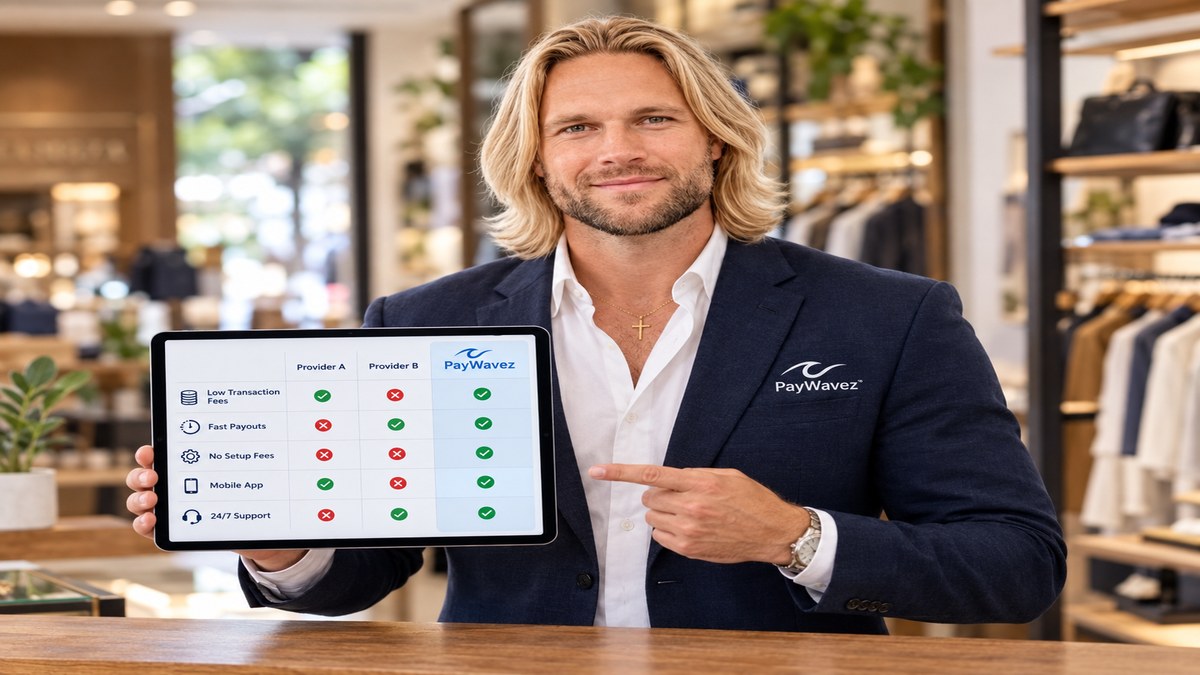
What does a pos system stand for? In the simplest terms, POS stands for Point of Sale. This is the exact time and place where a retail transaction is completed. For a small business owner, it is the hub where you ring up customers, accept card payments, and provide receipts. While it used to mean just a heavy cash register, today’s POS systems are powerful computers that handle everything from inventory to merchant account settlements.
The Core Meaning: What Does a POS System Stand For?
The term Point of Sale refers to the physical or digital location where a customer makes a payment for goods or services. When you are standing at a counter in a shop, that counter is the point of sale. If you are selling items at a craft fair using a mobile tablet, that tablet is your point of sale. Understanding what a POS system stands for is the first step in mastering your business operations. It is the bridge between your customer’s wallet and your business bank account.
A modern POS system consists of two main parts: hardware and software. The hardware includes the physical devices like card readers, barcode scanners, and receipt printers. The software is the program that runs on those devices to calculate totals, track taxes, and communicate with your payment processor. Together, they create a seamless experience that allows you to accept credit cards, debit cards, and even mobile wallets like Apple Pay.
The Evolution from Cash Registers to Smart Terminals
Years ago, a business only needed a mechanical cash register to store money and a paper ledger to track sales. Today, the demands of a small business are much higher. You need to know which items are selling fast and which are sitting on the shelf. You also need to ensure that every card transaction is secure. Modern smart terminals have replaced the old registers. These devices are often portable, allowing you to take the point of sale directly to the customer, whether they are at a table in a restaurant or on a job site.
According to recent industry data, over 90% of new small businesses choose a cloud-based POS system over traditional landline registers to improve their data security and remote access.
How Your POS Connects to Your Merchant Account
When a customer swipes or taps their card at your POS, a complex process begins in a matter of seconds. The POS system sends a request to your merchant account. A merchant account is a specific type of bank account that allows businesses to accept card payments. It acts as a middleman between the customer’s bank and your own business bank account. Without a merchant account integrated into your POS, you cannot process credit cards.
During this process, the system checks if the customer has enough funds and if the card is valid. Once approved, the funds are captured and held in your merchant account until they are settled (or "batched out") at the end of the day. This is why choosing a POS that works well with your payment processor is vital. If the two systems do not talk to each other correctly, you could face delays in getting your money or higher processing fees due to technical errors.
Understanding Processing Fees and the POS
Every time you use your POS to take a card payment, you pay a fee. These processing fees are usually a percentage of the sale plus a small flat cent amount. For example, you might pay 2.5% + $0.10 per transaction. These fees cover the cost of the technology, the risk of fraud, and the service provided by the banks. Many owners feel like these fees eat into their profits, which is why transparent pricing is so important. At PayWavez, we believe you should always know exactly what you are paying without hidden surprises.
"A POS system is no longer just a way to take money; it is the central nervous system of a modern small business that manages cash flow and customer data in real-time."
Surcharging and Cash Discounts at the Point of Sale
One of the biggest trends for small businesses in 2026 is finding ways to offset processing fees. Your POS system can be programmed to handle surcharging or cash discount programs. Surcharging is when you add a small fee (usually around 3% to 4%) to a customer's total if they choose to pay with a credit card. This fee covers the cost of the processing, meaning the business keeps 100% of the sale price. To see how this works in person, you can view our live demo of these systems.
Cash discount programs work slightly differently. You offer a lower price to customers who pay with cash. The POS system automatically calculates the correct price based on the payment method chosen at the terminal. This is a great way to encourage cash payments and reduce the amount you pay in monthly fees. However, there are strict rules about how you must display signs and notify customers. It is important to work with a processor that understands the legal requirements in your specific area.

Preventing Chargebacks with Better Technology
A chargeback happens when a customer disputes a charge with their bank instead of asking the business for a refund. This can be a major headache for owners. A modern POS system helps prevent chargebacks by requiring secure payment methods like EMV chip inserts or contactless taps. These methods are much harder to fake than the old magnetic stripe swipes. If you are a business owner in a high-traffic area, such as Gulf Shores credit card processing clients, having a secure POS is essential during the busy tourist season.
The POS also keeps a digital record of every transaction, including the time, date, and a digital copy of the receipt. If a customer claims they never made a purchase, you can use these records to fight the dispute. Without a proper POS system, you have very little evidence to protect your revenue from fraudulent chargeback claims.
The Hardware: Choosing the Right Terminal
When you look at what a POS system stands for, you also have to look at the physical tools you use. There are several types of hardware to consider:
- Countertop Terminals: These are the standard units that sit on a desk. They are reliable and often have built-in receipt printers.
- Mobile Readers: These small devices plug into a phone or tablet. They are perfect for service providers who work on the go.
- Smart Terminals: These look like large smartphones. They have touchscreens and can run apps to help manage your business.
- Full POS Stations: These include a large screen, a cash drawer, and a barcode scanner. These are best for retail stores with a lot of inventory.
Choosing the right hardware depends on how your customers interact with you. A restaurant might need handheld terminals so servers can take payments at the table, while a boutique might prefer a sleek countertop station that fits their decor. We help businesses across the country find the right fit through our locations hub and dedicated support teams.
The Role of PCI Compliance
Every POS system must follow PCI (Payment Card Industry) standards. These are rules that ensure your customer's data is encrypted and safe from hackers. If your POS is outdated, it might not be compliant, which puts you at risk for heavy fines if a data breach occurs. Modern systems handle most of this compliance for you automatically, giving you peace of mind while you focus on serving your customers.
Conclusion: Making the Most of Your Point of Sale
Now that you know what a POS system stands for, you can see why it is such a critical part of your business. It is not just about taking money; it is about managing your growth, protecting your sales from chargebacks, and finding ways to lower your overhead costs. Whether you are looking to implement a surcharging program or just want a faster way to check out customers, the right POS setup makes all the difference.
Ready to see your own numbers?
Run your real card volume through the calculator or apply in about two minutes.