
POS & Hardware
What Does a POS System Include? Everything Your Small Business Needs
Understanding what goes into a modern point-of-sale setup is the first step toward streamlining your business and saving on processing fees.
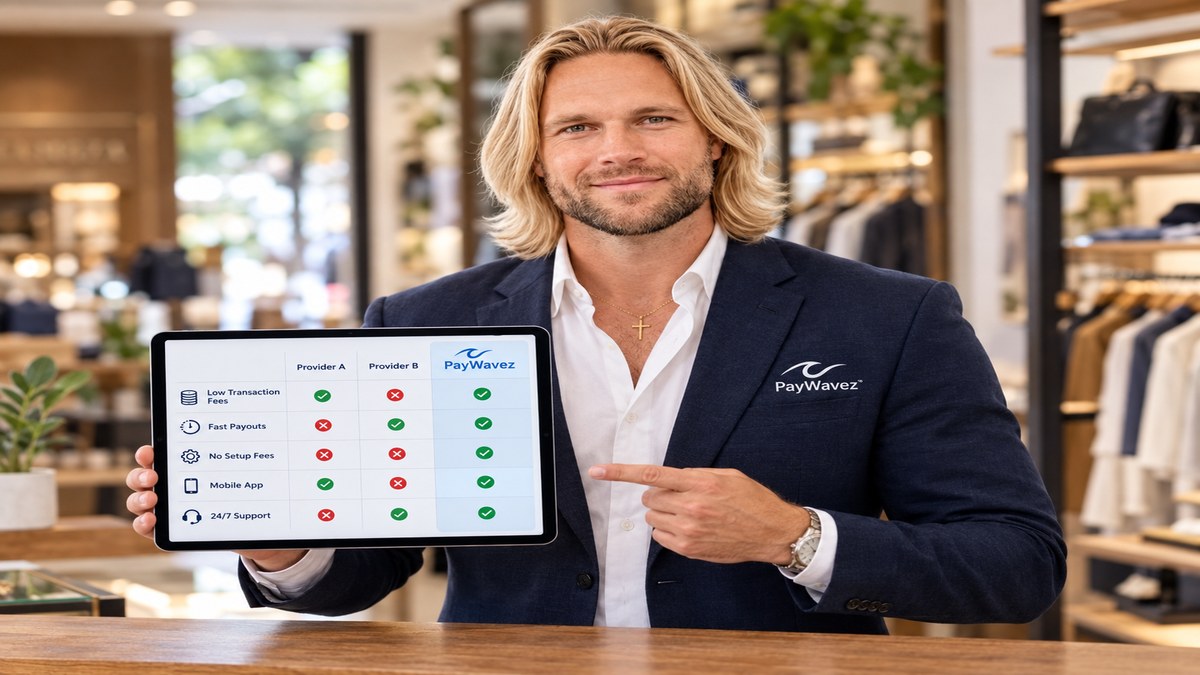
What does a pos system include is one of the most common questions we hear from business owners who are tired of using old-fashioned cash registers or clunky, outdated terminals. A Point of Sale (POS) system is much more than just a place to swipe a credit card; it is the central nervous system of your entire business. It handles your sales, tracks your inventory, manages your employees, and provides the data you need to grow. When you look for a new setup, you aren't just buying a screen; you are investing in a suite of tools designed to make your life easier. You can even see how these tools work in real-time by checking out our live demo.
The Core Hardware Components
The hardware is the physical part of the system that you and your customers interact with every day. While every business is different, most setups share a few standard pieces of equipment. The main hub is usually a tablet (like an iPad) or a dedicated touch-screen monitor. This is where your staff enters orders and looks up prices. In modern systems, these screens are designed to be intuitive, often using pictures and categories to speed up the checkout process.
Beyond the screen, you need a way to accept payments. This is where the card reader comes in. A modern card reader must be able to handle EMV chips, contactless payments like Apple Pay, and traditional magnetic stripes. Many businesses also include a cash drawer for those customers who still prefer to pay with bills and coins. Even in a digital world, having a secure place to store cash is vital for most retail and service businesses.
Printers and Scanning Tools
Receipt printers are another essential piece of hardware. While many customers now opt for digital receipts sent via email or text, many still want a paper copy. You might choose a thermal printer, which is fast and quiet, or an impact printer if you are in a kitchen environment where heat might damage thermal paper. If you run a retail shop, a barcode scanner is also a must-have. It allows your team to ring up items in seconds rather than typing in prices manually, which reduces errors and keeps lines moving fast.
Recent industry studies show that 79% of small businesses consider their POS system to be the most important tool for managing their daily operations and customer data.
The Software: The Brain of the Operation
The software is what makes the hardware smart. It is the interface that processes the transactions and stores all your business data. Most modern systems use cloud-based software. This means your data is stored securely online, allowing you to check your sales figures from your phone at home or while traveling. You no longer have to be physically at the store to know how the day is going.
Software features usually include a product database where you can list every item you sell, its price, and its tax rate. It also includes the logic for discounts, returns, and exchanges. For service-based businesses, the software might include scheduling tools or the ability to add tips to a bill. If you are looking for specialized software for rentals or service industries, PayWavez offers vertical-specific solutions that integrate perfectly with our payment rails.
A POS system isn't just a digital cash register; it is a comprehensive management tool that connects your sales data directly to your inventory and accounting.
What Does a POS System Include for Modern Payment Processing?
What does a pos system include for modern payment processing is a question that focuses on the "behind-the-scenes" work of moving money from the customer's bank to yours. A great POS system should be fully integrated with your merchant account. This means when a sale is made, the information is sent directly to the processor without the cashier having to type the amount into a separate credit card terminal. This integration prevents "fat-finger" errors where a $10.00 sale accidentally gets typed in as $1.00.
Furthermore, a modern system should support advanced pricing models. At PayWavez, we specialize in dual pricing and surcharging. Your POS software should be able to automatically calculate a small service fee for credit card users or offer a discount for cash customers. This helps business owners offset the rising cost of processing fees legally and transparently. If you operate in the Southeast, having a provider familiar with Alabama payment processing regulations ensures your system remains compliant with local laws.
Inventory and Stock Management
One of the biggest benefits of a full POS system is inventory management. Every time an item is sold, the system automatically subtracts it from your stock levels. You can set up alerts to let you know when a certain product is running low, so you never run out of your best-sellers. This is a massive time-saver compared to doing manual counts at the end of every week.
For businesses with multiple locations, this feature is even more critical. You can see which store has which items in stock and even transfer inventory between locations within the software. This level of control helps you keep your shelves full and your customers happy without over-ordering products that aren't selling well.
Reporting and Business Intelligence
Data is the key to making smart business decisions. A POS system includes a reporting suite that tells you exactly what is happening in your business. You can run reports to see your busiest times of day, your most profitable items, and your top-performing employees. Instead of guessing which marketing campaign worked, you can look at the data and see if sales actually increased during that period.
These reports also make tax season much easier. You can export your sales tax data and total revenue figures directly to your accountant or into software like QuickBooks. This eliminates hours of manual data entry and reduces the risk of an audit due to simple math errors. For a business like a boutique in Florida, using a system tailored for Destin credit card processing means your reports will reflect the seasonal swings common in tourist-heavy areas.
Employee Management and Security
Managing a team is hard enough without having to track hours and permissions manually. Most POS systems include an employee management module. This allows staff to "clock in" and "clock out" directly on the screen, which generates your payroll reports automatically. You can also set different permission levels. For example, a new cashier might not be allowed to perform a refund without a manager's swipe or code. This protects your business from internal theft and errors.
Security is also a major component. The system includes PCI compliance features that protect your customers' card data. Modern POS systems use encryption and tokenization, meaning the actual credit card number is never stored on your local device. This significantly reduces your liability and keeps your customers' sensitive information safe from hackers.
The Value of Local Support and Training
Finally, a POS system includes the support behind it. When your system goes down on a busy Saturday night, you don't want to be on hold with a call center in another country. A good POS provider offers 24/7 technical support and initial training for your staff. Setting up a new system can be intimidating, but with the right partner, the transition is smooth. We believe that the relationship with your processor is just as important as the hardware sitting on your counter.
Ready to see your own numbers?
Run your real card volume through the calculator or apply in about two minutes.