
Mobile Payments
The Complete Guide to Credit Card Processing for Phones
Accepting payments on the go is no longer a luxury—it is a requirement for modern small businesses. This guide breaks down how to turn your smartphone into a powerful, secure payment terminal.
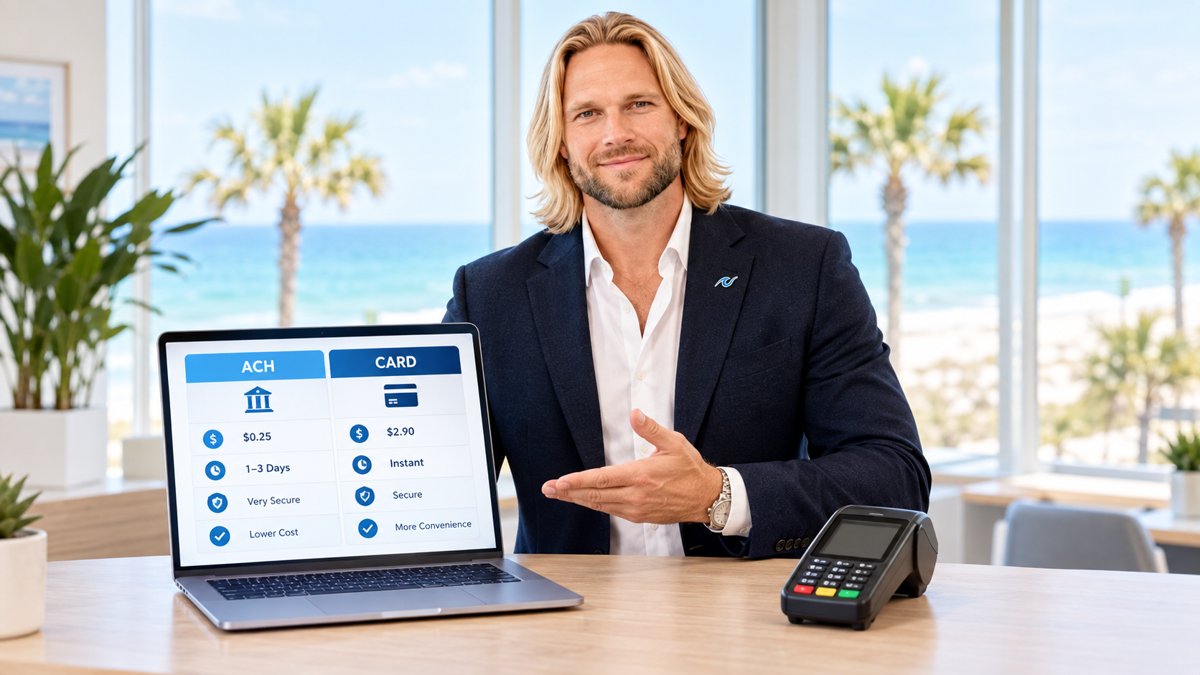
Credit card processing for phones has revolutionized the way small business owners interact with their customers. Whether you are running a food truck in the heart of the city, providing HVAC services to homeowners, or selling handmade goods at a local market, the ability to accept plastic on the spot is essential. In the past, mobile businesses were tethered to clunky hardware or forced to rely on cash, which often meant losing out on high-ticket sales. Today, your smartphone can serve as the brain of your entire retail operation.
Before you dive into the hardware, it is important to understand the ecosystem. You can find more specific details on our dedicated guide to credit card processing for mobile business, which covers the strategic side of going portable. In this post, we will look closer at the mechanics, the costs, and the security measures that keep your business safe while you are out in the field. From merchant accounts to the latest tap-to-pay technology, here is what you need to know about taking payments with your phone.
How Credit Card Processing for Phones Actually Works
At its simplest level, credit card processing for phones involves three components: your smartphone (or tablet), a payment application, and a way to read the customer's card data. This data is encrypted the moment it is captured and sent through a secure gateway to the card networks. Within seconds, the transaction is either approved or declined, and the funds are scheduled for deposit into your business bank account.
There are two primary ways to capture card data on a phone. The first is through a physical card reader that connects via Bluetooth or a charging port. These devices can read EMV chips and often support contactless payments. The second method is known as "Tap to Pay on iPhone" or "Tap to Pay on Android." This uses the phone's built-in Near Field Communication (NFC) chip to accept contactless cards and digital wallets like Apple Pay and Google Pay without any extra hardware. If you want to see how this looks in a real-world environment, you can check out our live demo to see the interface in action.
The Difference Between Mobile Readers and Dedicated Terminals
While a phone is convenient, it is not always the perfect replacement for a traditional terminal. Mobile readers are lightweight and highly portable, making them ideal for businesses that move around frequently. However, they rely on your phone's battery and data connection. If your phone dies or you lose cell service, your ability to take payments vanishes. This is a common pain point for contractors working in rural areas or vendors at crowded festivals where cellular towers are overloaded.
Dedicated smart terminals, on the other hand, often come with their own 4G connectivity and built-in printers. For many businesses, the best setup is a hybrid approach. You might use a phone for quick transactions in the field but keep a robust terminal at your main location. For businesses in the Southeast, especially those looking for Alabama payment processing solutions, having a reliable backup is critical during busy seasonal peaks.
Merchant Accounts vs. Payment Aggregators
Many small business owners start with "aggregators" like Square or PayPal because they are easy to set up. However, as your volume grows, these platforms can become expensive and risky. Aggregators lump thousands of businesses into one giant merchant account. This means if another business in that group has high fraud rates, your account could be frozen or terminated without warning. This is a nightmare for a legitimate business owner who needs consistent cash flow.
A dedicated merchant account, like those provided by PayWavez, gives you your own unique ID and direct access to the processing networks. This provides much higher stability and often lower rates. When you have your own account, you are underwritten specifically for your business type, which reduces the chance of sudden fund holds. This is especially important for high-volume service providers, such as those looking for Pensacola credit card processing, where a single day of frozen funds can stall operations.
The best mobile setup isn't just about the hardware in your hand; it's about the transparency of the rates on your statement and the stability of the account behind it.

Understanding Processing Fees and Dual Pricing
One of the biggest frustrations for mobile business owners is the cost of processing. Most mobile apps charge a flat rate, often around 2.6% to 3.5% per transaction. While this seems simple, it often means you are overpaying for debit cards and basic credit cards. At PayWavez, we focus on transparency through interchange-plus pricing or dual pricing programs.
Dual pricing allows you to show two prices to your customers: a cash price and a card price. This effectively passes the cost of the processing fee to the customer who chooses the convenience of using a card. This is 100% legal and, when implemented correctly with the right signage and software, can bring your processing costs down to nearly zero. This is a game-changer for mobile businesses with tight margins, like landscaping companies or mobile pet groomers.
Security and PCI Compliance on Mobile Devices
Is credit card processing for phones secure? The answer is yes, provided you use the right tools. Modern mobile payment apps use a process called tokenization. This means the actual credit card number is never stored on your phone. Instead, it is replaced by a random string of characters (a token) that is useless to hackers if intercepted. Additionally, EMV chip technology has significantly reduced the risk of counterfeit card fraud compared to the old magnetic stripe method.
As a merchant, you are still responsible for PCI (Payment Card Industry) compliance. This involves simple steps like ensuring your phone's operating system is up to date, using strong passwords, and never storing cardholder data in your phone's notes or photos. Using a reputable processor ensures that the heavy lifting of security is handled by the software, leaving you free to focus on your customers.
Managing Chargebacks in a Mobile Environment
Chargebacks occur when a customer disputes a transaction with their bank. In a mobile environment, these can be more common if the customer doesn't recognize the name on their bank statement. To prevent this, ensure your "doing business as" (DBA) name is clearly set up in your processing account so it matches the name on your van or business card. Always send digital receipts via email or text immediately after a sale. These receipts serve as vital evidence if you ever need to fight a fraudulent chargeback. The receipt should include the date, amount, and a brief description of the goods or services provided.
In conclusion, choosing the right setup for credit card processing for phones can save you thousands of dollars in fees and hours of administrative headache. By moving away from expensive aggregators and embracing professional merchant accounts and dual pricing, you put more money back into your business. For a deeper look at how to optimize your mobile setup, revisit our guide on credit card processing for mobile business and take control of your payments today.
Ready to see your own numbers?
Run your real card volume through the calculator or apply in about two minutes.