
POS & Terminals
Example of a POS System: Finding the Right Fit for Your Business
Understanding what a modern point-of-sale setup looks like is essential for any business owner looking to accept card payments efficiently and affordably.

Finding a clear example of a pos system is the first step toward modernizing your business checkout experience and ensuring you aren't overpaying for merchant services. For a small business owner, a POS is more than just a place to swipe a card; it is the central hub where sales, inventory, and customer data meet. Whether you are running a boutique in Alabama or a busy seafood spot on the coast, the right setup can save you thousands of dollars in annual processing fees through smart programs like surcharging or dual pricing.
What Exactly Defines an Example of a POS System?
At its core, an example of a pos system is the combination of hardware and software used to complete a retail transaction. In the past, this was just a heavy mechanical cash register. Today, it is a sophisticated digital tool. A standard example includes a tablet or touchscreen monitor, a credit card terminal (often called a card reader), a receipt printer, and a cash drawer. The software running on the device calculates the total, applies taxes, and communicates with your merchant account to authorize the payment.
When you look at an example of a pos system, you should also consider the backend. This includes the payment gateway that encrypts the customer's data and the processor that moves the money from the customer's bank to yours. For many US business owners, the goal is to find a system that is easy to use but also transparent about its costs. Many big-name processors hide fees in complex statements, making it hard to see your true effective rate.
1. The Mobile Card Reader: A Portable Example
A very common example of a pos system for mobile businesses is the smartphone-based reader. You have likely seen these at farmers' markets or used by mobile service providers like landscapers. This setup involves a small piece of hardware that plugs into or connects via Bluetooth to a phone or tablet. The software is an app installed on the device.
While these are convenient, they often come with high flat-rate fees. For a business doing significant volume, these "simple" flat rates can actually be much more expensive than interchange-plus pricing. If you are looking for a more robust mobile option, a smart terminal like those used in our live demo offers more features, such as built-in printing and better security, while still allowing you to take payments anywhere in your shop or on the go.
According to industry data, businesses that move from manual entry to a modern POS system see an average 15% increase in transaction speed, allowing them to serve more customers during peak hours.
2. The Countertop Smart Terminal
For most brick-and-mortar retail shops, the best example of a pos system is the countertop smart terminal. This is a standalone device that has a screen facing the merchant and often a smaller screen or keypad facing the customer. These devices are designed to handle high volumes of "card-present" transactions, which typically carry lower risk and lower fees than online payments.
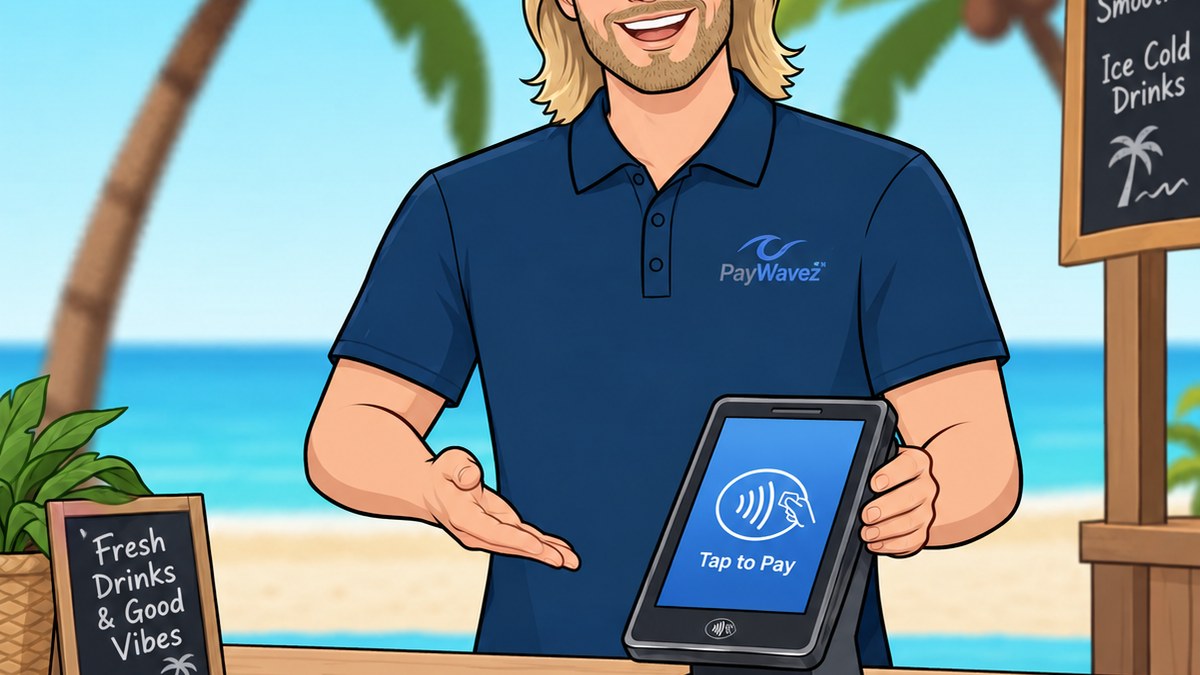
In places like Destin, many local shops use these terminals to handle the rush of tourist traffic. A smart terminal can handle EMV chips, contactless "tap-to-pay" options, and traditional swipes. More importantly, modern smart terminals allow you to implement cash discount programs. This means the terminal automatically adjusts the price based on the payment method, helping you offset the cost of credit card processing fees legally and transparently.
3. The Tablet-Based POS Hub
If you walk into a modern coffee shop or boutique, you will likely see a tablet-based example of a pos system. This setup uses an iPad or Android tablet mounted on a swivel stand. The tablet runs the POS software, while external hardware like a card reader and cash drawer are connected via cables or Bluetooth. This is a popular choice because it looks sleek and the software is often very intuitive for staff to learn.
"Your POS system should be a tool for growth, not a source of hidden expenses. If you can't see exactly what you're paying in fees, you're likely paying too much."
However, many tablet POS providers "lock" you into their own expensive payment processing. This is a common trap for small business owners. They get a cheap stand and a tablet, but they end up paying 3% or more on every transaction. It is vital to choose a system that allows you to work with a transparent processor who can offer lower rates or surcharging options to protect your margins.
4. The Full-Scale Restaurant POS
Restaurants require a more complex example of a pos system. This setup often includes multiple stations: one at the host stand, several for servers to enter orders, and "kitchen display systems" (KDS) that show the chefs what to cook. These systems also handle complex tasks like splitting checks, managing tips, and tracking ingredient inventory.
For restaurant owners in the Alabama payment processing market, managing the cost of these systems is a top priority. Because restaurants have tight margins, the processing fees on thousands of small transactions can eat up all the profit. Using a POS that supports surcharging allows the restaurant to pass the cost of credit card processing to the customer, while offering a lower price for those who pay with cash.
5. The Integrated E-commerce POS
The final example of a pos system is one that bridges the gap between a physical store and an online shop. This is known as an omni-channel system. When a customer buys a shirt online, the inventory is automatically updated in the physical store's database. The payment processing for these "card-not-present" transactions is handled through a virtual terminal or an online gateway.
Business owners should be aware that online transactions usually have higher processing fees because the risk of fraud is higher. A good POS system will help you manage these risks with tools like Address Verification Service (AVS) and CVV checks. By keeping your online and in-person sales in one system, you reduce the time spent on bookkeeping and minimize the chance of errors.
Understanding Merchant Accounts and Fees
No matter which example of a pos system you choose, you will need a merchant account. This is a special type of bank account that allows you to accept credit and debit cards. The company that provides this account is your payment processor. When comparing processors, you will see different pricing models: flat-rate, tiered, and interchange-plus.
Interchange-plus is generally the most transparent and cost-effective for growing businesses. It shows you exactly what the card brands (Visa, Mastercard) charge and exactly what the processor is taking as a markup. Beware of "free" POS offers; often, the equipment is free because the processor plans to make that money back (and much more) by charging you high monthly fees or inflated per-transaction rates.
How Surcharging Works Within Your POS
One of the most powerful features to look for in any example of a pos system is the ability to run a surcharge or dual-pricing program. Surcharging is the practice of adding a small fee (usually around 3% to 4%) to credit card transactions to cover the processing costs. Dual pricing is a similar concept where you display two prices for every item: a card price and a discounted cash price.
These programs are legal in the vast majority of US states, provided you follow specific rules, such as displaying clear signage at the entrance and at the point of sale. A modern POS system handles all the math automatically. When a server or cashier rings up a sale, the system detects the payment type and applies the correct pricing. This can effectively bring your credit card processing costs down to nearly zero.
Avoiding Chargebacks and Security Issues
Every example of a pos system must be PCI compliant. This means it meets the security standards set by the Payment Card Industry to protect customer data. If your system is outdated, you could be liable for expensive fines if a data breach occurs. Furthermore, using a modern EMV chip reader protects you from the "liability shift." If you swipe a chip card instead of dipping it, and that transaction is fraudulent, you—not the bank—are responsible for the loss.
Chargebacks happen when a customer disputes a charge with their bank. While no POS can stop every chargeback, a good system provides you with the digital receipts and transaction data you need to fight and win these disputes. Always ensure your POS records the time, date, and card entry method for every sale.
Ready to see your own numbers?
Run your real card volume through the calculator or apply in about two minutes.