
Fees & Rates
How to Evaluate a Payment Processing Software Quote Without Getting Ripped Off
When you ask for a payment processing software quote, most companies send a confusing list of numbers designed to hide the true cost. Here is how to find the real price and negotiate a better deal.
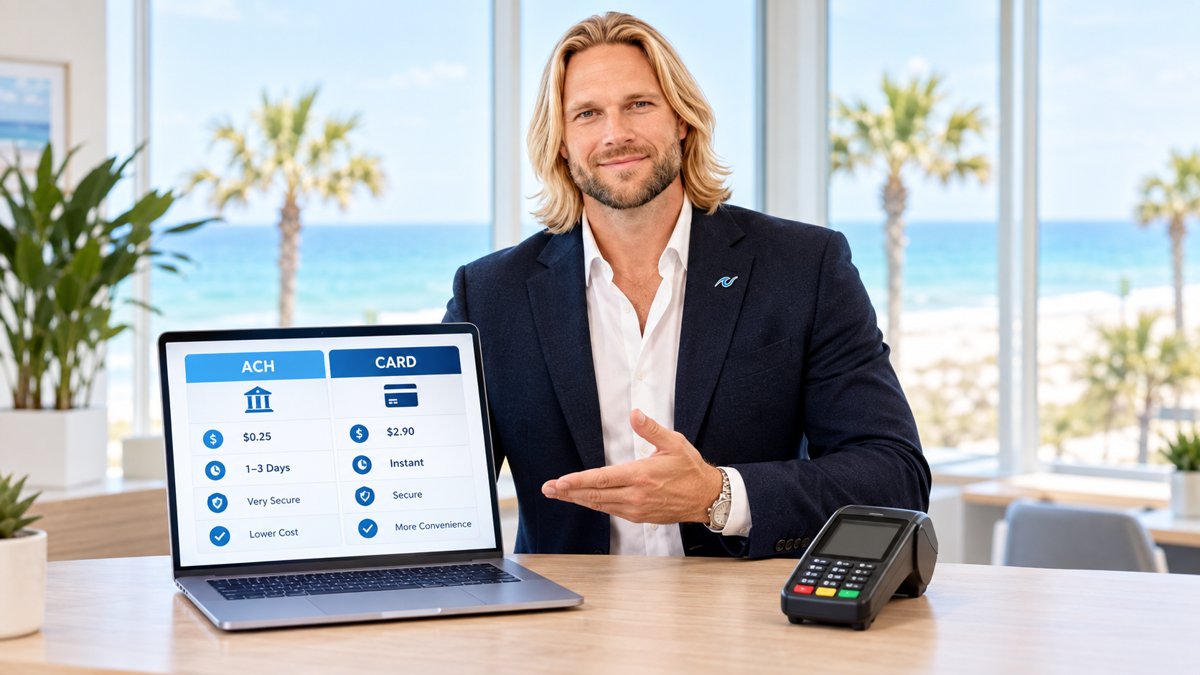
Getting a quote for payment processing software often feels like reading a different language. You might see a very low percentage—like 1.5%—and think you are getting a great deal. However, that number is usually just a "teaser rate." Once you sign the contract, hidden fees start appearing on your monthly statement, and that 1.5% quickly turns into 3.5% or more.
To get a fair quote, you need to understand which fees are set in stone and which ones you can change. Most business owners do not realize that a large part of their quote is actually negotiable. If you know what to ask for, you can save thousands of dollars every year.
Why the Lowest Rate is Often a Lie
Processors often use "tiered pricing" to make their quotes look better than they are. They will show you a "qualified" rate that looks incredibly cheap. The problem is that almost no modern credit cards—like rewards cards, business cards, or international cards—actually qualify for that low rate. Most of your transactions will be "downgraded" to a much higher price.
Interchange fees, which are paid directly to the banks that issue the cards, typically account for 75% to 90% of the total fees a merchant pays.
Instead of looking for the lowest single number, ask for Interchange-Plus pricing. This model is much more transparent. It shows you the exact cost from the banks (interchange) and the small markup the software company is charging you. This makes it much harder for a processor to hide extra costs in the fine print.
What Fees Are Actually Negotiable?
When you look at a quote, you should divide the fees into two buckets: the ones the processor controls and the ones they don't. You cannot negotiate the fees set by Visa, Mastercard, or the big banks. But you can—and should—negotiate the processor's markup.
The Negotiable List
- The Markup: This is the small percentage and per-transaction fee the processor keeps. If you have a high volume of sales, you have more power to ask for a lower markup.
- Monthly Subscription Fees: Many software companies charge a "membership" or "statement" fee. These can often be waived or reduced.
- Equipment Costs: If you need a physical terminal, ask if they can provide it at cost or include it as part of the setup. Never lease equipment; it is almost always a bad financial move.
- PCI Non-Compliance Fees: You should never have to pay these if your software is set up correctly. Ask the processor to help you stay compliant so these fees never hit your account.
The most expensive rate is the one you didn't see coming in a hidden fee on page ten of your contract.
The Non-Negotiable List
- Interchange Fees: These are set by the card brands (Visa/Mastercard) and are the same for every processor.
- Assessment Fees: These are also set by the card brands and cannot be changed by your software provider.

How to Compare Two Quotes Side-by-Side
The best way to compare two quotes is to look at the "Effective Rate." To find this, take the total fees you expect to pay and divide them by your total sales volume. For example, if you process $10,000 and pay $300 in total fees, your effective rate is 3%. If one quote has a lower percentage but higher monthly fees, the effective rate will tell you which one is actually cheaper.
Before you sign anything, it is a good idea to see the software in action. You can schedule a live demo to see how the interface works and how transparent the reporting is. A good processor will show you exactly where every penny goes.
Local Support vs. Big Box Processors
Many national processors offer quotes that look good on paper but offer zero support when something goes wrong. If your terminal stops working on a busy Saturday, you don't want to be stuck on hold with a call center in another country. For businesses in the Southeast, working with a team that understands the local market can be a huge advantage.
If you are looking for Alabama payment processing support, choose a partner that can meet you in person. Whether you are running a shop in Gulf Shores or a warehouse in Birmingham, local expertise helps you avoid the common pitfalls of one-size-fits-all software quotes.
Use a Savings Calculator
One of the easiest ways to verify a quote is to use a tool like the PayWavez Savings Calculator. By plugging in your current volume and the rates you've been quoted, you can see the annual impact on your bottom line. This helps you move past the sales pitch and see the real math. If a processor refuses to give you the specific numbers you need for a calculator, that is a major red flag.
Ready to see your own numbers?
Run your real card volume through the calculator or apply in about two minutes.